


Phone Case DIY: ASMR Mobile
3.26.00 Reviews
App Specs
- Version
- 1.0.8
- Updated On
- License
- Free
- Downloads
- 1,000,000+
- Developer
- smartsolution
- Categories
- Simulation
- Platform
- Android
Screenshots
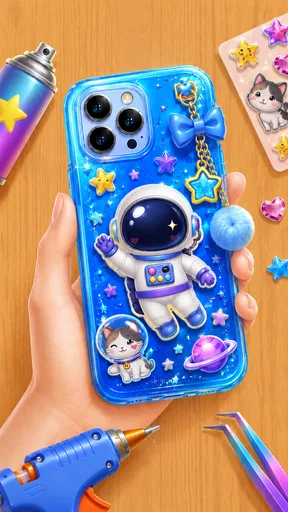
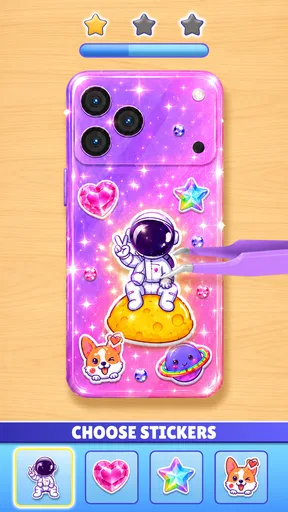
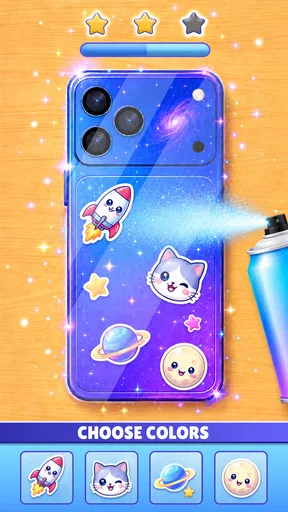
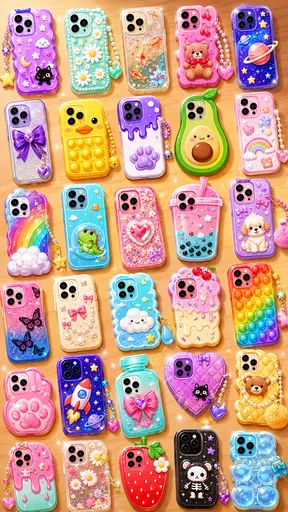
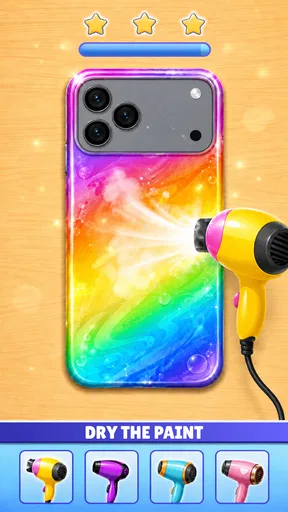

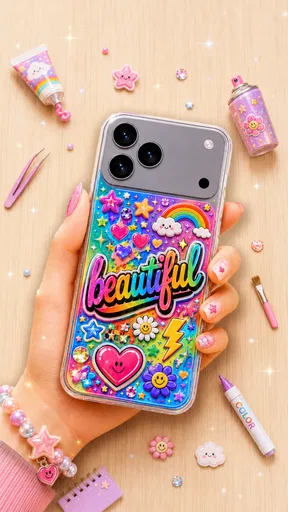
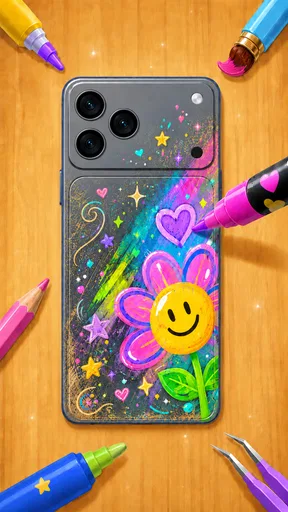
 Analysis by AppCompare
I’d treat Phone Case DIY: ASMR Mobile as a small creative sandbox rather than a serious design tool. Its appeal is the simple idea of decorating a phone case with color and stickers, then enjoying the result. That makes it easy to understand and potentially relaxing to pick up for a short break. It also sets a clear limit: if you want detailed drawing controls, practical case-buying advice, or a game with a deep progression system, this is probably not the right fit.
The game is free to download and is made by smartsolution. It sits in the simulation category, although the experience is closer to casual craft play than to a complex simulator. Phone Case DIY: ASMR Mobile has an average rating of 3.2 from around 510 ratings, so I would approach it with measured expectations rather than assume it will suit everyone. Its broad idea is appealing, but the real question is whether a light decorating activity is enough to hold your attention.
What to consider before you start decorating
I like to decide what I want from a decorating game before I start: a quick visual break, a place to experiment, or a tool for making a design I can use elsewhere. That distinction matters here, because the case theme gives the activity a clear focus but also sets boundaries around it. I’ll look at how those boundaries shape the experience and what a little planning can do for the result.
A quick creative activity, not a design workshop
The basic draw is customization: you work on a cute phone-case design using color and sticker decoration. That is a pleasantly concrete goal. Instead of being asked to manage a virtual business or master a complicated toolset, you can focus on making one small object look the way you want. I can see this working well when you have a few spare minutes and want something more hands-on than scrolling, but not something that demands a long session.
It is useful to decide what “creative” means to you before installing it. If you enjoy choosing colors, arranging decorative elements, and seeing a visual result, the premise should make sense quickly. If you need precise control over line work, layers, custom typography, or exporting a design for a real case, a dedicated drawing or design app is the more appropriate choice. This game is about playful decoration, not producing a manufacturing-ready template.
That distinction also helps set expectations about replay value. A decorating game can feel satisfying even when each session is brief, but it depends on whether you personally enjoy making variations on a familiar task. I would judge it by the pleasure of the small creative loop rather than by expecting a long story, a demanding challenge, or a large set of systems.
How the sticker-and-color approach can work for you
A useful way to play is to choose a simple theme before touching the case: for example, a soft pastel look, a bold high-contrast palette, or a deliberately mismatched collage. Giving yourself that tiny constraint makes the choices feel more intentional. It can also prevent the common decorating trap of adding every appealing element until the result feels crowded. I find that a restrained design often looks more finished than one where every available space is filled.
Worth Reading Before You Choose

Baby Panda World Brings Quick Play to Modern Phones, but Its Game Library Feels Busy

ESPN’s Live Game View Makes Following Close Games Easier

QuizzLand Review: A Good Fit for Short Trivia Breaks, Not Every Player

Basketball Stars: Multiplayer Is Fast, but Can It Recover When Matches Go Wrong?

WEBTOON Turns Phone Updates Into a Better Reading Routine

Link to Windows Runs on Shared Habits, Not Social Feeds
Another practical approach is to make two mental passes. First, decide on the overall color mood; then place decorative details to support it. Even without treating the game like professional design software, separating those decisions makes the activity more satisfying. The case becomes a little composition rather than a pile of unrelated choices, and that is a more rewarding way to use a simple customization game.
For a real everyday scenario, imagine waiting for a friend or taking a quiet break between tasks. You could open the game, settle on a color direction, and spend a short session building a playful case concept. It is a low-pressure activity because the object is familiar and the goal is clear. I would not choose it when I need to focus on work or when I am looking for a game that will occupy an entire evening; its strongest use case is a brief creative pause.
Who is likely to enjoy it
I’d recommend giving it a try if you like casual simulation games, cute visual themes, and activities where the reward is a finished-looking creation rather than a score. It may also suit younger players who enjoy imaginative decoration; the content rating is Everyone. The game has passed one million installs, which suggests the simple premise has found a sizable audience, though popularity alone does not guarantee that its pace or style will click for you.
The current version is 1.0.8, and the minimum operating-system requirement is Android 7.0. Those details are useful when deciding whether an older device can run it, but they do not change the central choice: this is for someone who wants accessible, low-stakes customization. Since it is free, trying it carries less financial commitment than buying a paid creative app, though your time and patience still matter.
It may be less appealing if you are easily bored by repeated decorating tasks, prefer competitive goals, or want complete freedom to create any shape or image from scratch. A simple theme can be relaxing to one player and restrictive to another. I would skip it if the main reason you are searching is to design an actual phone accessory you can order, because an in-game decoration activity is not a substitute for a product preview or a professional design workflow.
Where it has an edge—and where another option makes more sense
For me, the key choice is whether a focused case-decorating activity sounds more appealing than a broader creative app or simulation. I’ll weigh the benefit of having a specific object to work on against the limits that come with that focus, so you can tell whether the game suits a spare-moment routine or whether another kind of tool would serve you better.
Its advantage over broader simulation games
Many simulation games ask you to track resources, build a routine, run a business, or manage a growing collection of responsibilities. Phone Case DIY: ASMR Mobile has a narrower creative focus: decorate a case. That limited scope is an advantage when you want to get into the activity without learning a complicated system. You can spend your attention on color and ornament rather than juggling several goals.
The trade-off is that a focused premise has fewer directions to go. Players who enjoy progression, strategic decisions, or a sense of a world developing around them may find a case-decoration loop too slight. I would choose this over a larger simulation when I want something immediately understandable; I would choose the larger game when I want a sustained challenge with more varied decisions.
How it compares with drawing and makeover apps
Compared with a general drawing app, this game offers a more guided subject. You are not starting with a blank canvas and inventing the entire task yourself; the phone-case theme supplies a clear frame for your creativity. That can be comforting if a blank page feels intimidating. On the other hand, drawing apps are a better fit when you need fine control, want to sketch something unrelated to cases, or hope to reuse your artwork elsewhere.
Compared with broader makeover or decorating games, the appeal here is the specificity of the object. A phone case is small, familiar, and easy to imagine as an expression of personal taste. The limitation is the same specificity: if you would rather style rooms, characters, or outfits, a game built around those subjects will probably offer a more satisfying range of choices. I would select this one for its particular craft theme, not because it can replace every kind of decorating game.
One useful decision rule is to ask whether you want to make a design or manage a design process. If you want a short, playful activity centered on a cute case, this is the more direct route. If you want to save a polished asset, compare real materials, or plan a purchase, a dedicated design tool or a retailer’s customization service is better suited to the job. The game’s value lies in the activity itself, not in practical production guidance.
Small habits that make the experience more rewarding
Because the premise is visual, it helps to pause before making each addition. Ask whether a new color or sticker strengthens the look you are aiming for or merely fills empty space. This is a small but useful constraint: it turns casual tapping into a light design exercise. You can also deliberately try a theme you would not choose for a real accessory, since a playful virtual design is a no-pressure way to explore combinations.
I would also avoid judging a session by how long it lasts. A short, satisfying design can be a complete use of the game, not evidence that you failed to discover a deeper mode. That matters when comparing it with games that rely on long-term goals. Here, the sensible measure is whether you enjoyed shaping the case and liked the final look enough to feel the time was well spent.
What to expect from the trade-off
The main compromise is breadth. The store pitch centers on case decoration, so the game’s identity is clear, but a narrow theme may not provide the variety some players expect from a simulation title. Its 3.2 average rating is another reason I would treat it as a try-before-you-commit experience, not a safe recommendation for every player. If the first few sessions feel repetitive rather than calming, there is little reason to force yourself to continue.
There is also a difference between customization and control. A game can let you decorate an object without giving you the precision or flexibility of a full design editor. That is not automatically a flaw; it depends on what you want. For a casual craft break, guided choices can keep things approachable. For a carefully planned case mock-up, those same limits can become frustrating. Knowing which side of that line you are on will save you from expecting the wrong kind of tool.
Since the game is free, the practical cost of trying it is mainly the time you spend learning whether the decorating loop suits you. I would start with a modest expectation: open it for a quick creative diversion, not because you expect a comprehensive design suite. If you find yourself wanting more control, switch to a drawing app; if you want more strategic play, move to a deeper simulation. The best alternative depends on which part of the experience you are actually seeking.
My recommendation
Phone Case DIY: ASMR Mobile is worth a look if you want a cute, uncomplicated game built around decorating phone cases and you are happy to treat each design as a small creative exercise. I like the clarity of its premise and the fact that it does not require you to turn a spare moment into a serious commitment. The color-and-sticker focus gives the activity a recognizable purpose, which is more appealing to me than an open-ended task with no direction.
I would not recommend it as a replacement for professional design software, a real case-customization service, or a more substantial simulation game. Its best audience is someone who values ease and playful visual choices over depth and precision. If that sounds like you, the free download makes it reasonable to test whether the style clicks. If you already know you need detailed controls or long-term progression, choose an alternative built around those priorities instead.
Overall, I see it as a small, specific diversion rather than a must-have game. Go in expecting a relaxed case-decorating activity, use a simple theme to make your choices feel purposeful, and stop when the process no longer feels enjoyable. That is the fairest way to judge it—and the kind of modest, creative break it seems best placed to provide.
Pros
- Easy-to-understand controls make the crafting gameplay accessible to casual players.
- Short activities work well for quick play sessions.
- A variety of case designs and decorating steps keeps each project visually engaging.
- Satisfying sound effects add to the relaxing ASMR-style experience.
- Creative choices let players experiment with colors
- patterns
- and decorations.
Cons
- Gameplay can feel repetitive after completing several similar cases.
- Frequent ads may interrupt the crafting flow.
- Some designs or decorations may require watching ads to unlock.
- The simple mechanics offer limited challenge for players seeking deeper gameplay.
- Visual effects and sounds may become distracting for players who prefer quieter games.
FAQs for Phone Case DIY: ASMR Mobile
What is Phone Case DIY: ASMR Mobile?
Phone Case DIY: ASMR Mobile is a casual creative game centered on decorating virtual phone cases. It combines simple crafting activities—such as applying colors, patterns, stickers, and other decorative details—with satisfying sound effects intended to make the process feel relaxing. The exact activities and available designs can vary by version, so check the current store listing for a full feature description before downloading.
How do you play Phone Case DIY: ASMR Mobile?
The game is designed for touch controls: you follow on-screen prompts to work on a phone case and use the available tools and decorations to customize it. Tasks are generally straightforward, making the experience accessible to players who want a low-pressure creative game rather than complex challenges. Controls, steps, and unlocked options may differ between updates, so use the in-game instructions when a tool or activity is unfamiliar.
Is Phone Case DIY: ASMR Mobile suitable for children?
Its simple, craft-focused gameplay may appeal to children, but suitability depends on the child and the particular version they download. Before installing, adults should review the app-store age rating, content details, and privacy information. Also check whether the game includes advertisements, optional purchases, or links to external services, and consider using device settings such as parental controls to manage access and spending.
Does Phone Case DIY: ASMR Mobile require an internet connection or include ads?
Connection requirements and advertising can depend on the current release, the device, and the developer’s settings. Some features or ad-supported rewards may require internet access, while basic play may be available offline, but this should not be assumed without checking. Review the app-store listing and the game’s settings before playing, particularly if you want to limit data use or avoid unexpected advertisements.
Is Phone Case DIY: ASMR Mobile free, and what should I check before downloading?
The app may be offered as a free download, but availability, in-app purchases, and other costs can vary by platform or region. Check the listing for the developer, supported device requirements, recent update date, age rating, and purchase details before installing. You should also review the permissions requested and privacy disclosures, and download only from the official Google Play Store or Apple App Store.


